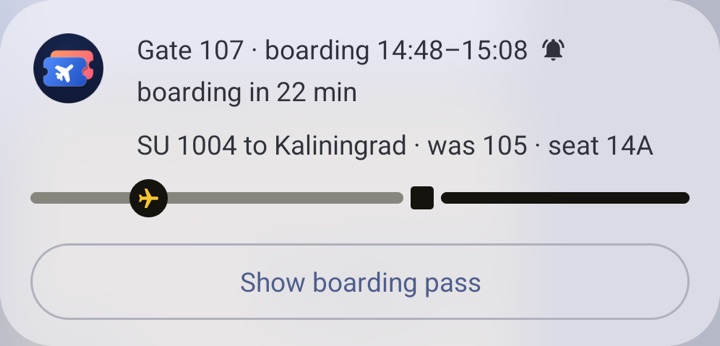
Boarding reminder
15, 30 or 60 minutes before boarding starts. On Android 16 the gate number sits in the status bar with a countdown to boarding. Tap it and the boarding pass opens over the lock screen.
 Letim
Русский
Letim keeps your boarding passes, shows the barcode at the gate and reminds you about boarding. If the gate changes, the sign is rehung right in front of you, and the old number stays as a “was 105” tag.
An app for Android 8.0 or newer, including Huawei without Google services. Free, no account, no ads.
With the camera, from a paper pass or another screen. PDF417, Aztec and QR.
From the airline’s email or app: Share → Letim.
From your gallery: Letim finds the barcode in the picture.
No barcode at hand? Enter the flight, date and seat.
Where an airport publishes its departure board online, Letim takes the gate and boarding time straight from it. On the day of the flight the home screen turns into a yellow sign: the gate in big type, the boarding window and how long until it starts.
“Status” means the board shows no gate: Letim takes the departure time, delays and cancellations from it. At other airports the status, times and gate come from FlightStats, and the boarding time from the boarding pass itself, if it’s printed there. More boards are on the way.
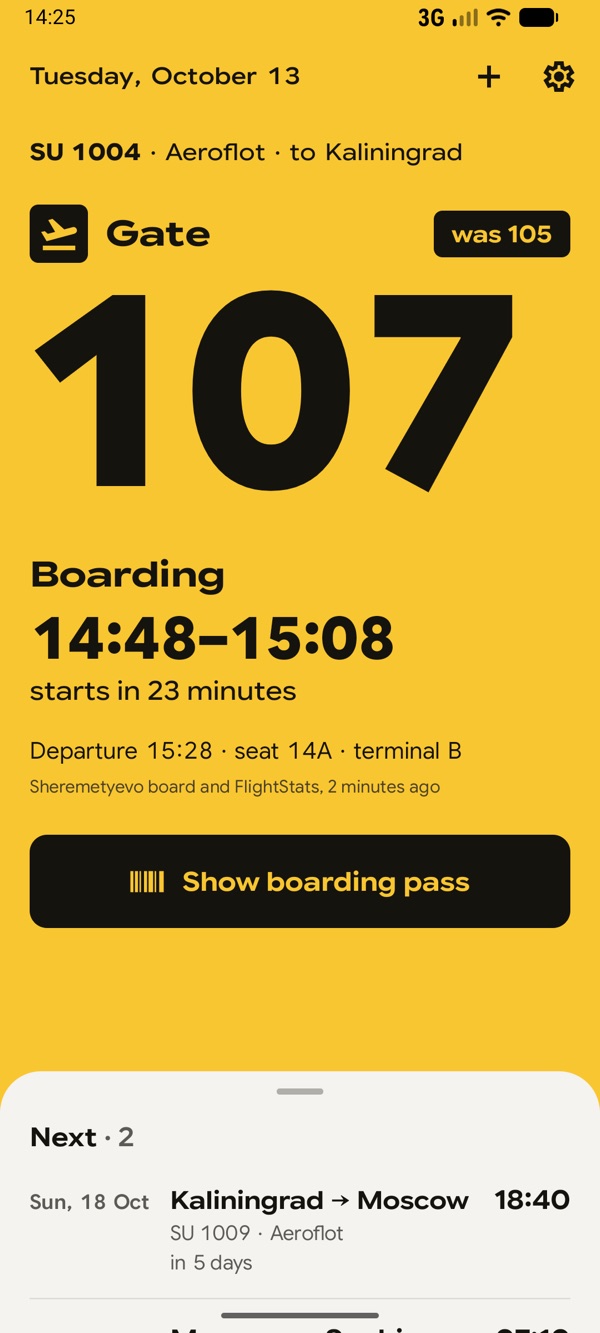
15, 30 or 60 minutes before boarding starts. On Android 16 the gate number sits in the status bar with a countdown to boarding. Tap it and the boarding pass opens over the lock screen.
Letim tells you about a new gate, a delay, a cancellation and the baggage belt after landing. In the hours before departure the flight is checked every 10 minutes.
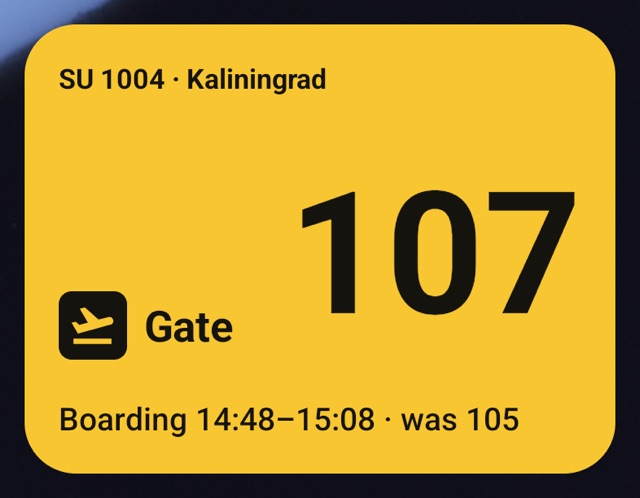
The same sign on your home screen: yellow on the day of the flight, with the gate and boarding time. Tap it to open the boarding pass.
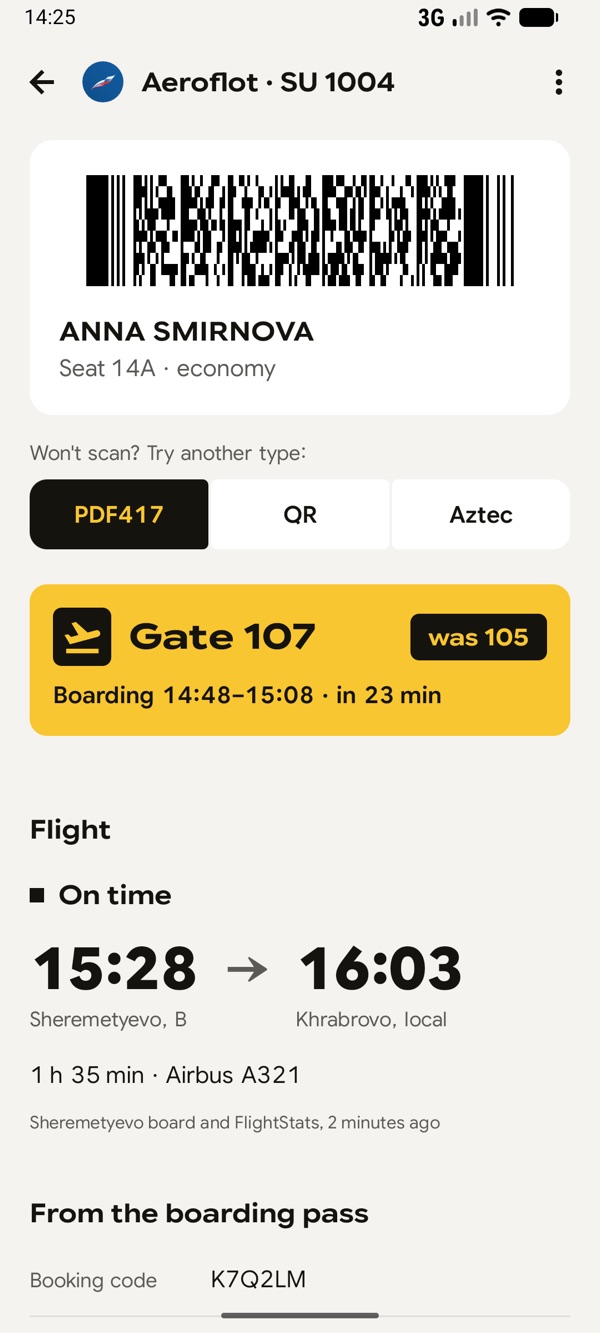
No account needed. Your name, booking and barcode are never sent anywhere. To get the flight status, only the flight, date and departure airport go to the server — and you can turn that off.
Privacy policyNothing. There are no ads, subscriptions or paid features.
Almost any: most airlines use the IATA barcode standard, and Letim reads it from paper, a screen, a photo or a PDF. .pkpass files work too — they often include the boarding time. A flight without a barcode can be added by hand.
Yes. Letim speaks English and Russian and follows your phone’s language.
Not to show your boarding pass — it’s stored on the phone. Internet is needed for flight status: the gate, delays and boarding times.
Where Letim takes them from the airport’s departure board, they match the screens in the terminal. The app never fills in estimates of its own: if the exact boarding time is unknown, the sign doesn’t show one. Still, always check the boards and announcements at the airport.
The boarding reminder becomes a live notification: the gate number in the status bar, a countdown to boarding and a progress bar. For the countdown to tick every minute, turn on “On-time reminders” in the app’s settings.
Yes. All you need is Android 8.0 or newer; Google services aren’t required.
On RuStore and AppGallery, or as an APK file from this site (13 MB). The APK does not update itself: we announce new versions, along with beta builds, on our Telegram channel @letimspace (in Russian). Questions and suggestions: support@letim.space.